Calendar
Your week, and a page to book you.
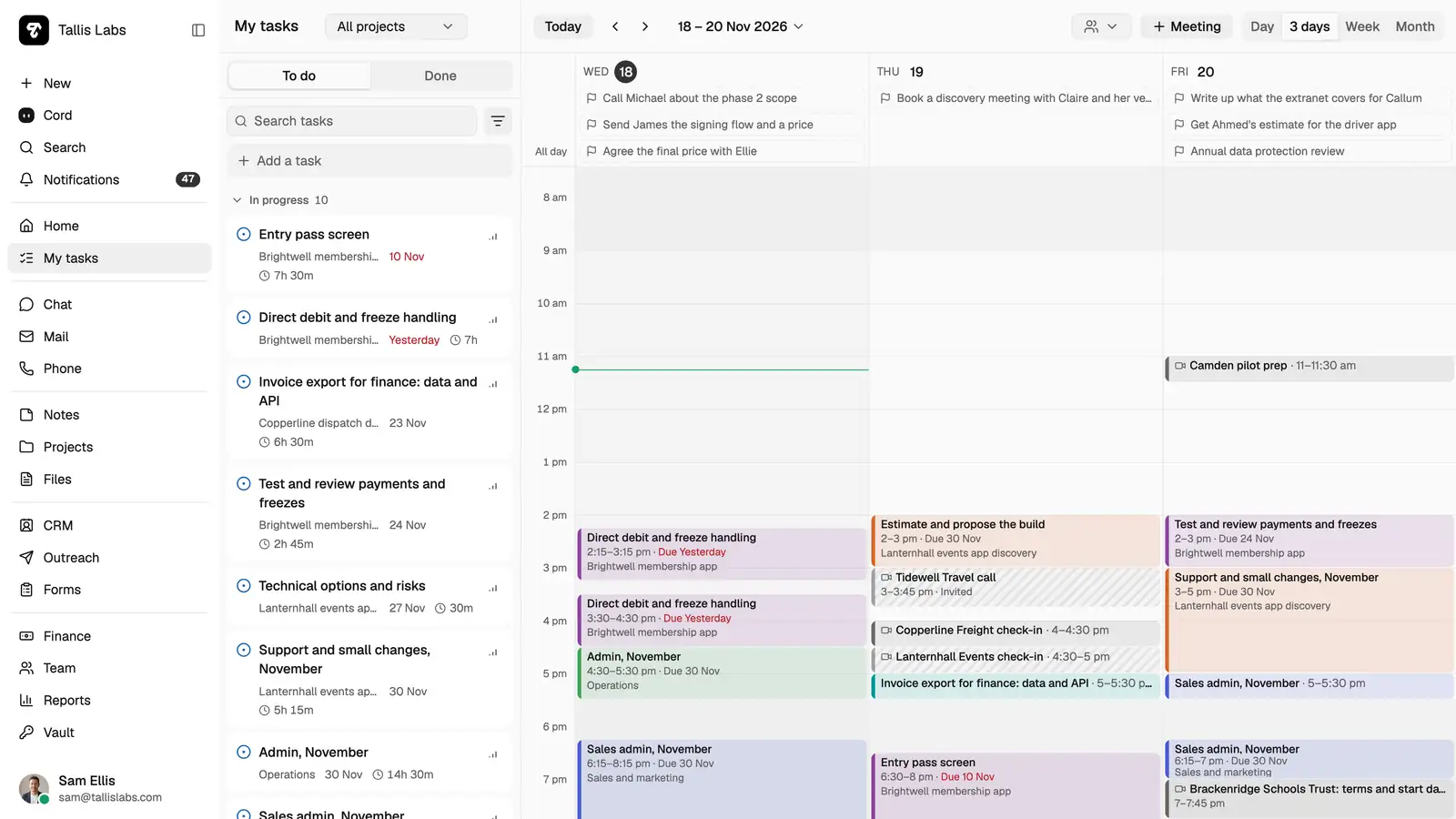
Meetings and task time share one calendar. Clients pick a free time from your booking page, and it lands there too.
Booking pages
Let clients pick the time.
Make a kind of meeting with its length, place, buffers, notice and a daily limit. Guests see only free times inside your working hours, in their own time zone, and can move or cancel from the confirmation email.
How it works
Plan the week. Keep it clear.
- 01
Set your hours. Days, start, end and lunch, on your own clock.
- 02
See what is taken. Meetings, task blocks, time off and your other calendars all count as busy.
- 03
Move it by dragging. Drag a meeting to a new time or pull its edge, and guests are told.
And the rest.
A colleague beside you
Their busy times sit behind yours, without saying what fills them.
A second time zone
Its hours stand beside your own in the day views.
Your other calendars
Subscribe by link or import a file, up to ten, refreshed every half hour.
In your calendar app
A private link shows your meetings and task time in Google Calendar or Outlook.
A clash warning
Booking or answering a meeting says when you already have something then.
New bookings in the CRM
A guest is matched to a contact, or added as a lead.
The details
What is in it.
- Booking pages
- In every plan. One page per person, a link for each kind of meeting.
- Booking kinds
- 15 to 90 minutes, by video, phone or in person, with buffers before and after.
- Your view
- Weeks from Monday or Sunday, with or without the weekend.
Cord here
Cord reads your calendar and plans time on it. It puts a task in your week at once, with Undo. A meeting that invites people waits for your click.
What's on my calendar tomorrow?
Any AI tool that supports MCP can read and book the same calendar, with your permissions.
Compared with
Your tools, beside this.
Questions.
Does it sync with Google Calendar or Outlook?
One way each. A private feed link shows your meetings and task time in Google Calendar, Outlook or your phone, and their calendars show here as busy times by link or file. Changes made there don't come back. Two-way sync isn't available.
What does a guest see on my booking page?
Your name, the kinds of meeting you offer and the free start times. Nothing else of your calendar.
Can two people book the same time?
No. The first booking takes the time and the second guest is asked to pick another.
How do guests change a booking?
The confirmation email has links to move it or cancel it. You are told either way, and the meeting in your calendar changes with it.
Does time off show?
Yes. Approved time off counts as busy, so suggested times and booking pages leave it out.
Share your booking page today.
Features last checked 17 November 2026. Products change; tell us if something is out of date.